Google Business Profile Not Showing Up? 9 Causes and the Fix for Each

Short answer
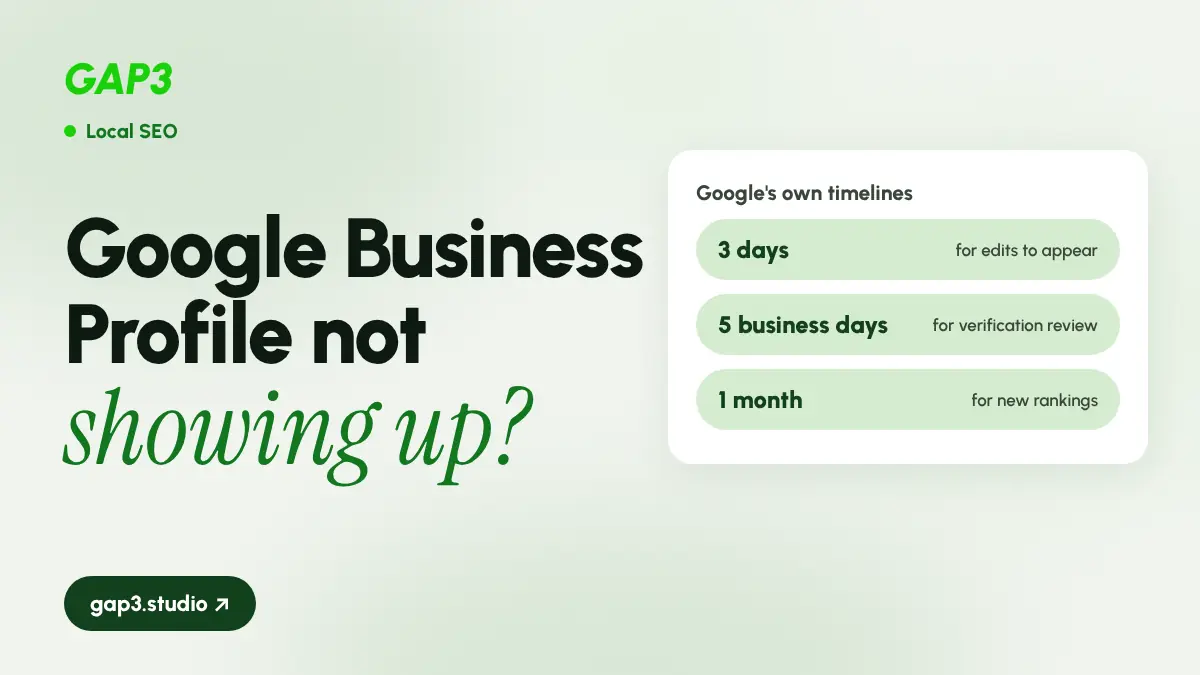
A Google Business Profile not showing up usually comes down to one of four things. It isn’t verified yet, Google is still checking a recent edit, the profile got suspended, or it is live but ranks too low for your services. Google’s own help pages give the waits: up to 5 business days for a verification review, up to 3 days for edits, up to a month for new rankings.
You search your own business name on Google and get nothing, while the plumber down the road sits right there on the map. Or you find yourself, sort of, with a grey line underneath saying only managers can see it. If your Google Business Profile is not showing up, that is the moment most owners start clicking every button in the dashboard. Please don’t, yet.
Below are the 9 causes we run into most, a 10 minute check to work out which one you have, and the order we would fix them in. Every timeline here comes from Google’s own help pages. Where we are going on our own experience instead, we say so.
Quick disclosure. GAP3 is a web and digital marketing agency in Ahmedabad, and we sell local SEO and Google Business Profile help. So we have a bias. Still, most of the fixes below cost nothing, and we will point out which ones you can do this afternoon on your own.
Checked the basics and your profile is still missing?
Send us your profile link and the searches you expect to show up for. We reply within one business day with what we think is wrong.
Google Business Profile not showing up? First, name the problem
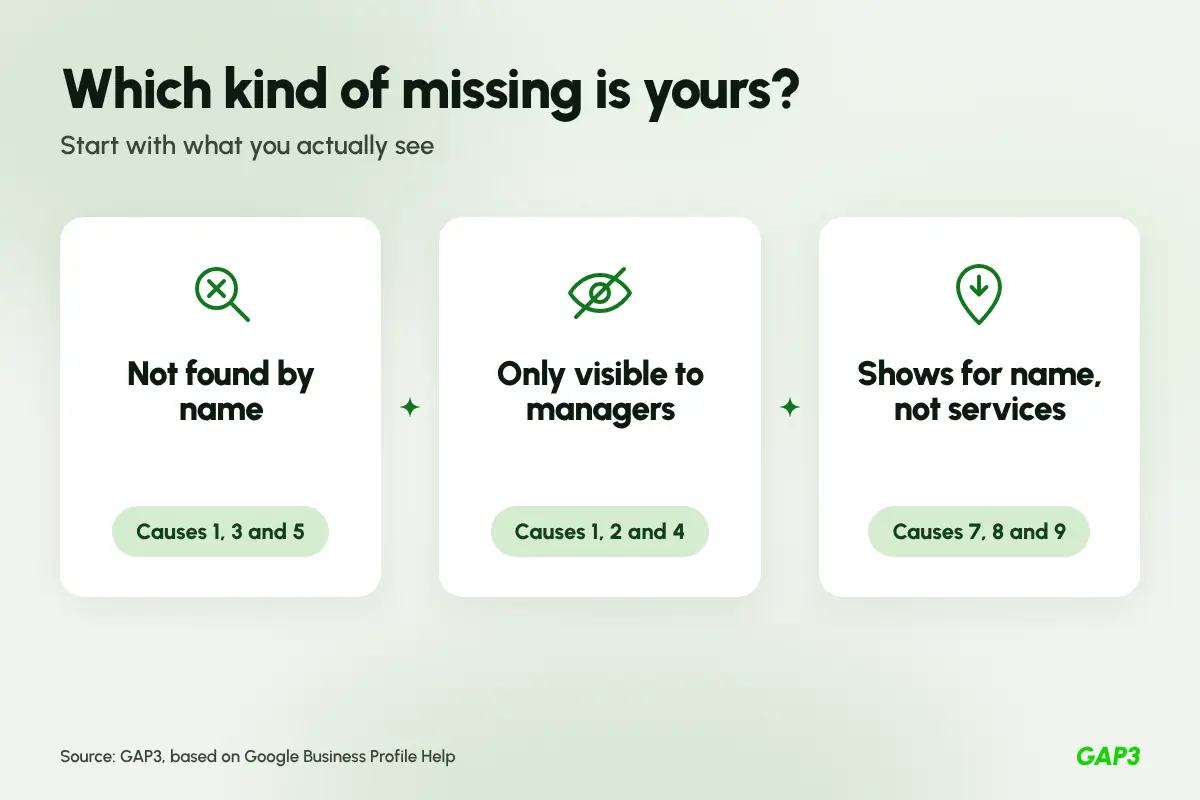
Three different problems look the same from the outside. They have different causes, so start by naming yours.
| What you see | What it usually means | Start with |
|---|---|---|
| Nothing appears, even when you search the exact business name and city | Not verified, suspended, or a duplicate is showing instead | Causes 1, 3 and 5 |
| Your dashboard says only managers can see it, or that it is not visible to customers | Verification is unfinished or Google is still reviewing | Causes 1, 2 and 4 |
| It shows for your name but not for searches like emergency plumber near me | It is live, it just ranks low | Causes 7, 8 and 9 |
Here is the 10 minute check we run before touching anything:
- Open a private browser window, signed out, and search your business name plus your city on Google Search. Then do the same in Google Maps.
- Ask a friend to repeat the search on their own phone. Your phone knows you too well.
- Sign in to the Google account that owns the profile and read the exact status text. Google notes that you have to be signed in to that account to see the profile from the owner side.
- Search that account’s inbox, spam folder included, for anything from Google Business Profile in the last 30 days. Suspension notices land there.
- Write down the date you last changed the name, address, category or hours.
That last step matters more than it looks. A lot of disappearing profiles trace back to an edit someone made the week before.
Cause 1: it isn’t verified, or the review is still running
Google doesn’t hedge on this one. Its page on finding your business on Google says only verified businesses can show their info on Maps and Search. No verification, no listing.
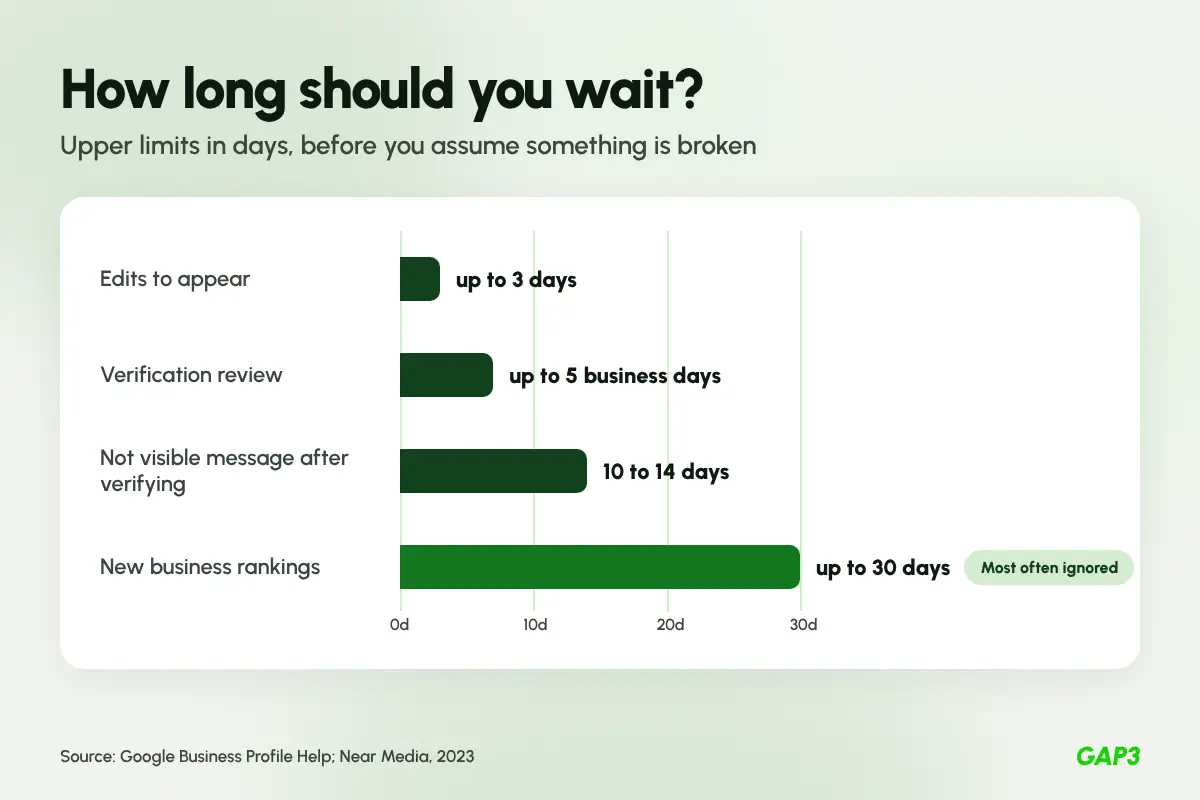
You also don’t get to pick the method. According to Google’s verification help page, the options depend on your business type, region and public info, and can include phone or text, email, a live video call, mail or a video recording. Some businesses have to do more than one. Once you finish, the review takes up to 5 business days, and on rare occasions longer.
The fix: open the profile and finish whatever step is pending. One small shortcut Google mentions is worth knowing. If the website on your profile is already verified in Google Search Console, Google can sometimes verify the profile instantly.
Cause 2: you were just verified or reinstated, and Google hasn’t caught up
This is the one that sends people to Reddit at midnight. Mike Blumenthal at Near Media tracked the not visible to customers message and found it shows up right after a fresh verification, then usually clears after 10 to 14 days. He saw the same pattern after a profile came back from a suspension. Google itself says rankings for a new business can take up to a month to appear.
So a profile verified on Monday that still isn’t visible by Friday is normal. Irritating, yes. Broken, no.
The fix is mostly patience. In our experience the worst move here is editing the profile again and again to wake it up, because each change gives Google something new to check. Near Media also noticed that Google sometimes asks for a second verification method straight after the first. If it does, do it. The message tends to go once the second one clears.
Cause 3: the profile is suspended or disabled
Google’s page on suspended and disabled profiles is clear that a profile breaking the guidelines won’t show to anyone until the issue is resolved, and that the owner gets a notice in the linked Google account. If step 4 of the check turned up that email, this is your cause.
The fix has a strict order:
- Read the guidelines line by line with your profile open next to them, and correct whatever breaks them.
- Gather proof that the name and address match: Google lists business registration, a business license, tax certificates and utility bills as useful evidence.
- Submit one appeal through Google’s appeals tool. Google says appeals can only be submitted once, so don’t fire it off half ready.
- Wait for the decision by email. If it is refused, Google allows an additional review where you can add new evidence.
And one thing not to do. Google says plainly: don’t create a new Business Profile for the same business. It feels like a fresh start. It isn’t.
Cause 4: a recent edit sent the profile back into review
Google says edits can take up to 3 days to show in results. Bigger changes can go further than that. The verification page describes a Get verified button reappearing on a profile that was already verified, and a Review issues notice when Google wants more detail.
Name, address and category changes are the usual triggers in what we see. Changing your hours on a Sunday night rarely causes trouble. Renaming the business does.
The fix: if Get verified is back, verify again. Group future edits so you make one round of changes, not five over a week.
Cause 5: a duplicate profile is splitting your listing
Google’s guidelines for representing your business say there should be only one profile per business, because duplicates cause problems with how information shows on Maps and Search. Duplicates are more common than people think. An old listing from a previous owner. One a former employee made. One a past agency created under its own account and never handed over.
The fix: search Google Maps for your phone number, your old address and older versions of your name. If you find a second listing, use Google’s process for duplicate profiles and ownership requests rather than making yet another one.
Cause 6: your name or details don’t match the real world
Google asks businesses to show their name the way it appears on signage, stationery and other branding. Adding Best Emergency Plumber Dallas to a business called Smith Plumbing is exactly the kind of edit that can get a profile pulled.
There is a stranger version too. Near Media reported that Google support told some owners their business may not show up because its name was considered to contain a sensitive search term. Google hasn’t explained what that covers. If your name has a word that could read as adult, medical or financial, keep it in mind.
The fix: match the name to your sign exactly. Put services in the categories and description, where they belong. Google also asks you to choose the fewest categories that describe your core business, so one sharp primary category beats eight loose ones.
Would you rather hand this to someone?
We set up, clean up and manage Google Business Profiles for local businesses, and we run our own profile the same way. Tell us what you see and we will tell you what we would do first.
Cause 7: you serve customers at their address, and the searcher is too far away
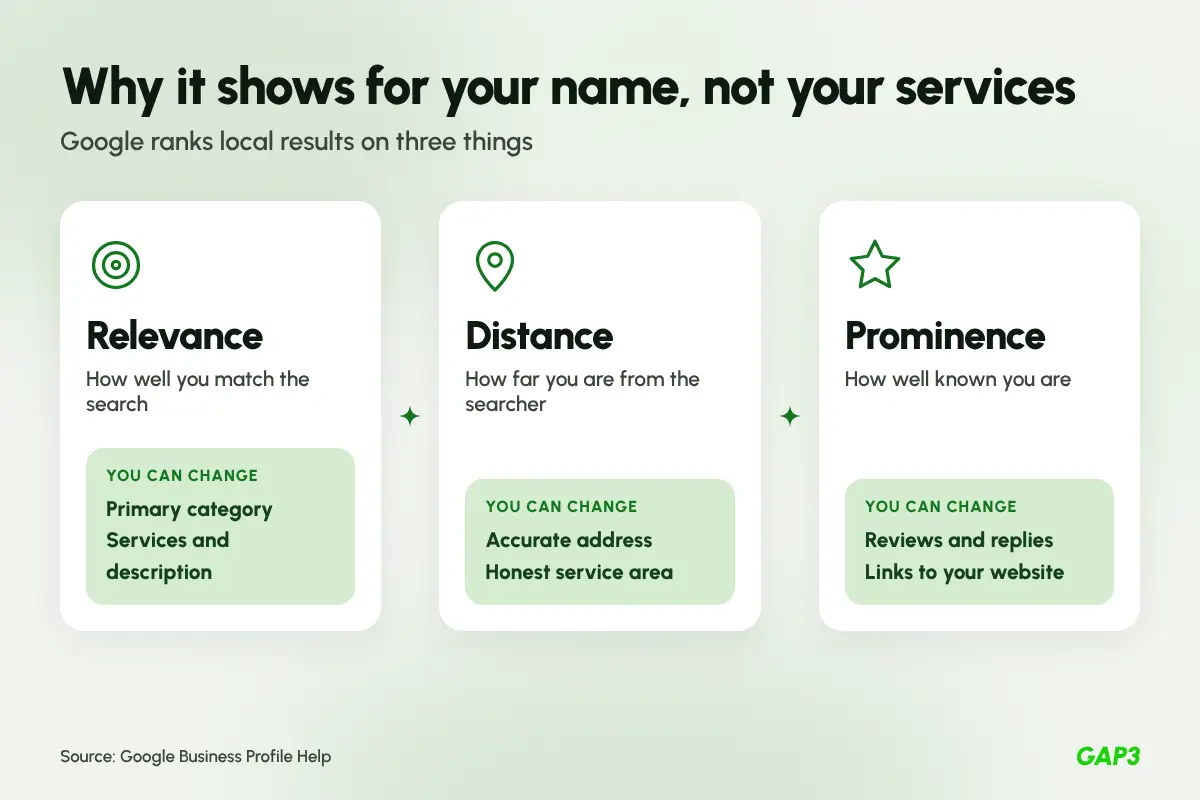
Google’s local ranking help page names three things behind local results: relevance, distance and prominence. Distance is simply how far you are from the person searching. In our experience, a service-area business with a hidden address still tends to show most strongly near its base.
Picture a cleaning company based in one suburb that serves the whole metro. Someone searching 40 minutes away will often see closer businesses first. Nothing is broken. The profile is just competing on distance and losing.
The fix: set your service area honestly. Then build real pages on your website for the areas you cover, with local detail, not one page copied twenty times with the city swapped. Our page on websites for local businesses covers how we structure those.
Cause 8: it shows for your name, but not for your services
This one isn’t a visibility problem at all. Your profile is live. It just isn’t ranking for the searches that bring in work, and that comes back to relevance and prominence.
- Relevance is how well your profile matches the search, so your primary category, services and description need to say plainly what you do.
- Prominence is how well known Google thinks you are. Google ties it to reviews, ratings and how many websites link to you.
- Replying to reviews counts too. Google lists it among its own tips for local ranking.
One more line from that same Google page is worth printing out: there is no way to request or pay for a better local ranking. Ads sit above the results and are a separate, paid channel. If you want to go that route, here is how we run Google Ads for local businesses.
We wrote about the ground work for this, from reviews to local pages, in our local SEO guide. The examples are from Ahmedabad, but the steps work the same way in Austin or Leeds.
Cause 9: your website is sending mixed signals
Your profile and your website should agree with each other. When the site lists an old phone number, a different suite number or a slightly different business name, Google has two versions of you to reconcile. In our experience that slows things down, especially for newer businesses with little else online.
- Use the same name, address and phone on the profile, the website footer and the contact page.
- Add LocalBusiness schema to your site. Our free Local Business Schema Generator builds the code for you.
- Give the profile a link to the most relevant page, not always the homepage.
- Check the basics of the page you link to, from titles to headings. Our on-page SEO guide walks through them.
If your website traffic dropped around the same time, the profile may not be the real issue. Run our 15 minute core update check before you blame the listing.
Worked example: a plumbing company with two vans
Step 1, the symptom. An owner verifies his profile by video on day 0. On day 4 the dashboard still says customers can’t see it.
Step 2, the check. Searching signed out, nothing shows. There is no suspension email. But on day 3 he renamed the profile to add 24/7 Emergency Plumber.
Step 3, the math. Verification review: up to 5 business days, so about day 7. The rename adds up to 3 more days for the edit, plus a real chance of re-verification. The not visible message can sit for 10 to 14 days after verification. A sensible first check is day 14, and rankings get up to a month, so day 30.
Step 4, the fix. Change the name back to what is on the vans. Leave everything else alone. Check again on day 14 and judge rankings on day 30, not day 4.
What to fix first
| Problem | Can you fix it yourself? | How long to wait |
|---|---|---|
| Not verified yet | Yes | Up to 5 business days after you finish |
| Just verified or reinstated | Yes, by waiting | About 10 to 14 days for the message, up to a month for rankings |
| Recent edit | Yes | Up to 3 days, longer if re-verification is asked for |
| Suspended | Yes, carefully | Decision by email, and you get one appeal |
| Duplicate profile | Usually | Google gives no fixed time |
| Low ranking for services | Partly | Ongoing work, measured in months |
Work from the top. There is no point building reviews for a profile that is suspended.
Red flags when someone offers to fix it for you
- A promise of the number one spot in Maps. Google says nobody can pay for a better local ranking.
- Advice to delete and start a new profile when yours is suspended. Google explicitly says not to.
- Stuffing city names or services into your business name to rank faster.
- Asking for your Google account password. Google lets owners add managers, so nobody outside your business needs your login.
- Packages of reviews, or anyone writing reviews on your behalf.
If an offer includes two of these, walk away. Undoing the damage takes longer than the original problem.
When to fix it yourself, and when to get help
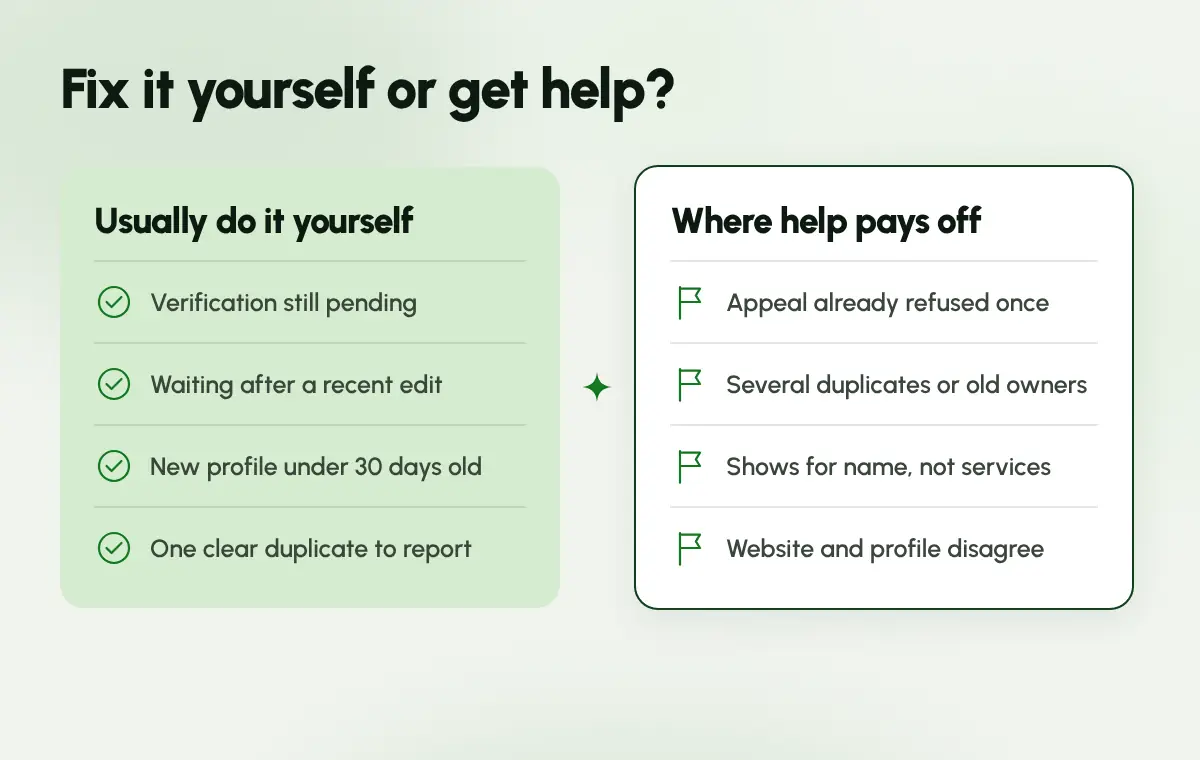
Causes 1, 2 and 4 are DIY. They mostly need you to finish a step and then wait. A clean single duplicate is usually fine on your own as well.
Get help when an appeal has already been refused once, when ownership is a mess, or when the profile shows for your name but brings in no calls. That last one isn’t a fix, it’s ongoing local SEO, and it is the work our local SEO services cover.
When not to pay anyone: if your profile is less than 30 days old and nothing else is wrong. You would be paying for the wait. Spend the month getting your first honest reviews instead.
Common questions about a missing Google Business Profile
Why is my Google Business Profile only visible to me?
Usually because verification is not finished, or Google is still reviewing it. Near Media found the not visible to customers message often appears right after verification and clears in 10 to 14 days. If you also got a suspension email, that is the cause instead, and you will need an appeal.
How long does it take for a new Google Business Profile to show up?
Google says verification reviews take up to 5 business days and that rankings for a new business can take up to a month. In practice, give it 2 weeks before you worry and a month before you judge your rankings.
Why is my Google Business Profile not showing up in search after verification?
Check three things. Did you edit the name, address or category since verifying? Is there a second listing for the same business? Are you only searching for a service, not your name? Each points to a different fix in the list above.
Why does my business show up for its name but not for my services?
Because the profile is live but not ranking well. Google ranks local results on relevance, distance and prominence, so look at your primary category, your services, your review count and how close searchers are to you.
Should I create a new profile if mine is suspended?
No. Google’s suspension help page says not to create a new Business Profile for the same business. Fix the issue, collect proof such as a business license or utility bill, and submit one appeal.
Can I pay Google to show my profile higher in Maps?
Not in the organic results. Google states there is no way to request or pay for a better local ranking. Google Ads can place you in ad slots above the results, but that is a separate, paid channel.
Does my website affect my Google Business Profile?
Yes. The website you link and the links pointing to your business feed into how well known Google thinks you are. A site that shows a different address or phone number than your profile sends mixed signals.
Why did my profile disappear after I edited it?
Big edits, especially to the name, address or category, can send a profile back into review. Google says edits take up to 3 days to appear and may ask you to verify again. If Get verified appears, do it.
Want a second pair of eyes on your profile?
Tell us your business name, your city and what you see when you search. We will reply within one business day with what we think is wrong and what we would fix first.
Gaurav Gajjar is the founder of GAP3 Studio in Ahmedabad, India. He has built websites since 2015, at Vibidsoft and Myriad Solutionz and then as a Senior Web Designer at E2M, before starting GAP3 in July 2025. With his team he has delivered more than 140 projects on WordPress, WooCommerce, Shopify and Webflow, and he built WBIZ and MyToolStudio. He writes about WordPress, ecommerce and technical SEO. Connect with Gaurav Gajjar on LinkedIn.