Shopify theme customization services

Shopify theme customization services for stores that have outgrown the theme editor. We write new sections and templates in Liquid, keep them apart from the theme's own files, and test everything on a duplicate theme before it goes live.

Customize my theme ↗
Change list priced line by line Code stays in your theme Rated 5.0 on Google
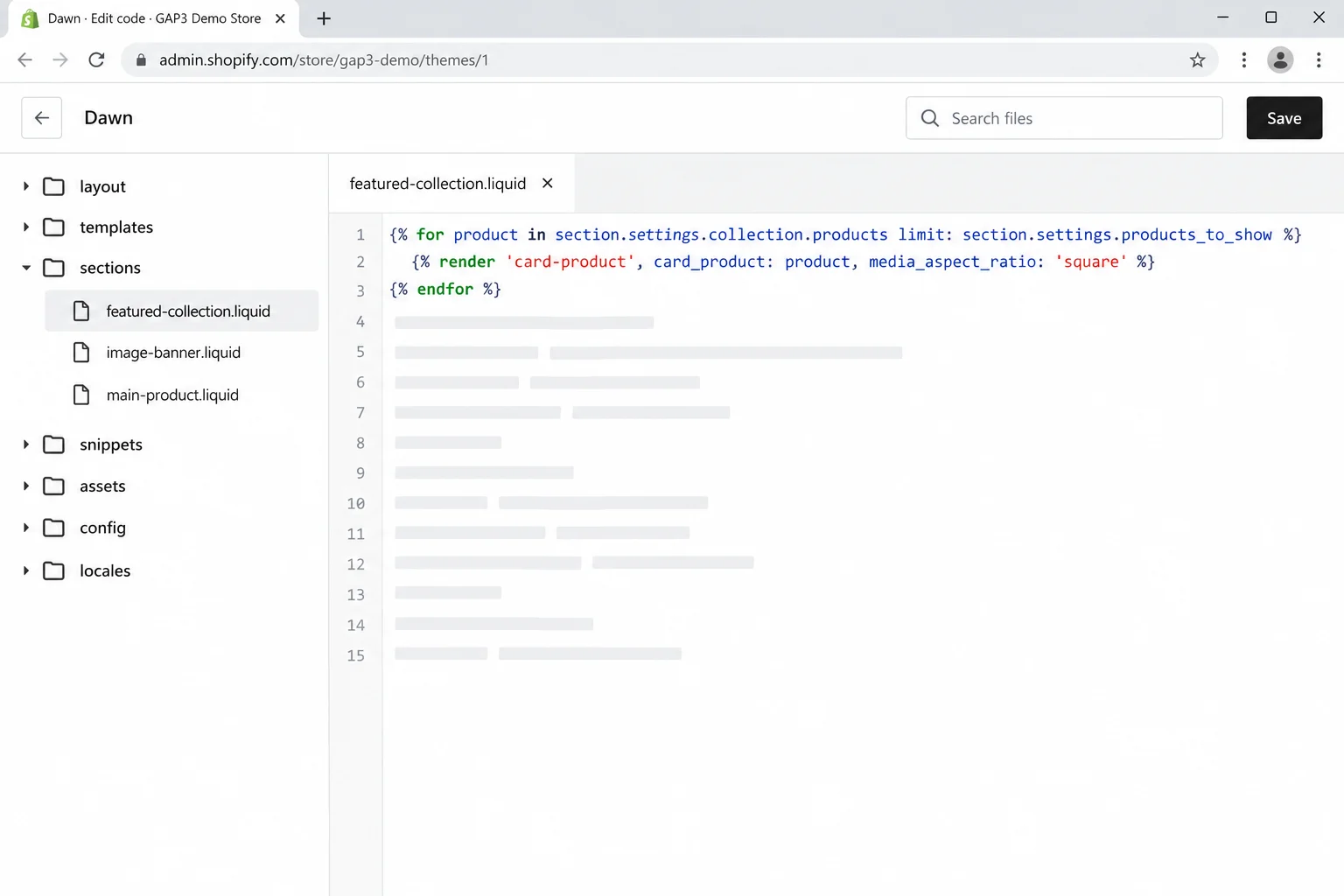
Shopify theme code editor with a Liquid section file open

Where the Shopify theme editor stops

The problem

The theme editor lets you change colours, fonts and the order of sections. It cannot add a size chart tab the theme never had, show ingredients from metafields, or remove the code an old app left in theme.liquid. Many owners reach for page builder apps at this point.

Our solution

We make those changes in the theme code. New layouts become sections with settings, product details come from metafields, and leftover app code is removed. Every change goes into a change log, so it can be carried to the next theme version.

Stuck on one change the editor will not allow? Describe it and we will tell you if it needs code.

Ask a Liquid developer ↗

Changes our Shopify theme customization services handle

From small styling passes to sections your theme never shipped with.

Custom sections

New sections for the homepage and landing pages, with settings so your team edits them in the theme editor.

Product templates

Alternate templates for different product types, such as bundles, made-to-order items or products with size charts.

Metafields and metaobjects

Ingredients, care notes, specs and product FAQs stored as structured data and shown on the right products.

Collection page changes

Filter layout, product card badges and quick add buttons changed to suit your catalogue.

App code clean-up

Scripts and snippets left by removed apps found in the theme files and taken out.

Brand styling in code

Fonts, colours, buttons and spacing applied through theme settings and CSS, so every page matches.

Need a whole new look rather than a list of changes? Store design starts from research and Figma.

See store design ↗

What clients say about the quality of our work

5.0 ★★★★★from 13 reviews on Google
★★★★★
“He was attentive, creative, and always open to feedback, which made the entire process smooth and enjoyable. His ability to understand our vision and translate it into a clean, functional, and beautifully designed website truly stood out.”
FC Fiza Chhuvara
The Furr Studio · Google review
★★★★★
“I had the pleasure of working with the GAP3 team, and I must say the experience was excellent. Special thanks to Gaurav, who never compromises on quality and ensures the work is done exactly as required. They deliver top-quality results within deadlines.”
DV Darshan Vadher
Google review
★★★★★
“Very professional and very hard working guys.”
NY Nagendra Yadav
Google review

Tools for Shopify theme development

Shopify CLI and Git for theme code, Theme Check for errors, and Figma when a section needs a design first. Page builders only when your store already runs one.

Shopify
Shop Pay
GemPages
Shogun
Figma
Photoshop
Canva
Klaviyo
Yotpo
GA4

How a theme customization job runs

Every change is built on a copy of your theme and published only after you approve it.

01Read the theme
02Price the change list
03Build on a duplicate theme
04Review on a preview link
05Publish with a change log

Ways to order theme customization

We look at your theme first, then quote. Nothing is built until you say yes.

Monthly theme hours

Best forStores that add sections and campaign layouts most months.
PricingA fixed block of developer hours each month, agreed upfront.
TimelineMonth to month, with 30 days notice to stop.
IncludesA duplicate theme for tests, a monthly change log and direct chat.
Ask about theme hours ↗

Single theme fix

Best forOne broken section, a layout bug after an app update, or one new block.
PricingPriced after a quick look at the theme.
TimelineMost single fixes take a few working days.
IncludesThe fix and a note on what caused it.
Send the theme fix ↗

If a setting in your theme or a free app already does what you want, we will point you to it before quoting any code.

How we keep custom theme code safe

Theme code is easy to break with good intentions, so we follow four rules on every store.

Changes made in Liquid

Layouts are changed in the template code instead of hidden with CSS overrides that break on the next update.

Custom code kept separate

New sections and snippets live in their own files, so a theme update does not mix them with the original code.

Speed checked on each change

We compare page speed on the preview theme with the live theme before publishing.

Your team can still edit

Every new section has settings in the theme editor for text, images and products.

Theme settings, an app or a custom section

Three ways to add something to a Shopify theme, and when each is the right choice.

What you are weighing Theme settings An app from the App Store Custom section in LiquidWhat we build
Cost Free Monthly fee for most apps One fixed price
Fits your design Only within the theme options Close, with the app styling Exactly
Page weight None added Often loads scripts on every page Only what the section needs
After a theme update Kept Kept, if the app uses app blocks Moved across using the change log
If you stop paying Nothing changes The feature disappears The code stays in your theme

For reviews, subscriptions and email, an app is usually the right answer. Layout and content changes often cost less as a custom section.

Theme customization makes sense when

Your store looks like every other store on the same theme The section you need is missing from the theme editor Product pages show every product the same way A removed app left broken code in the theme You want a new look without rebuilding the store

Store types we customize themes for

Beauty & skincare Fashion Lifestyle Jewellery Consumer goods

Running Dawn or another free theme? Tell us the version and we will check what it allows.

Check my theme ↗

Shopify theme customization questions

Changes beyond what the theme editor allows: new sections, alternate product templates, metafield content, styling in code and removal of leftover app code. The store keeps its theme and its content.

For layout changes, new sections or metafield content, yes. Liquid is the template language Shopify themes are written in, and the theme editor cannot change it. Colours, fonts and section order you can change yourself.

Any well-built Online Store 2.0 theme, including Dawn and most paid themes. If an older theme is too messy to customize safely, we will say so and suggest the cheaper route.

Theme settings and JSON templates carry over when you update an Online Store 2.0 theme, but edits inside the theme's own Liquid and CSS files do not. We keep custom work in separate files with a change log, so moving it to the new version is a short job on an unpublished copy.

Yes. Each section has settings for text, images, colours and products in the theme editor.

Yes. The product template is often the most valuable change, because most themes show every product in the same layout.

We measure speed on the preview theme before publishing. Removing old app code and unused sections often leaves the store faster than before.

Yes, when a store already uses one. For most stores, native sections are lighter and avoid a monthly fee, and we will tell you which suits yours.

From an itemized change list. A styling pass is a small job, while new sections and product templates take longer. Each line has its price before work starts.

Send us your theme change list

    HAVE AN IDEA?

    tell us about it.
    ↗