
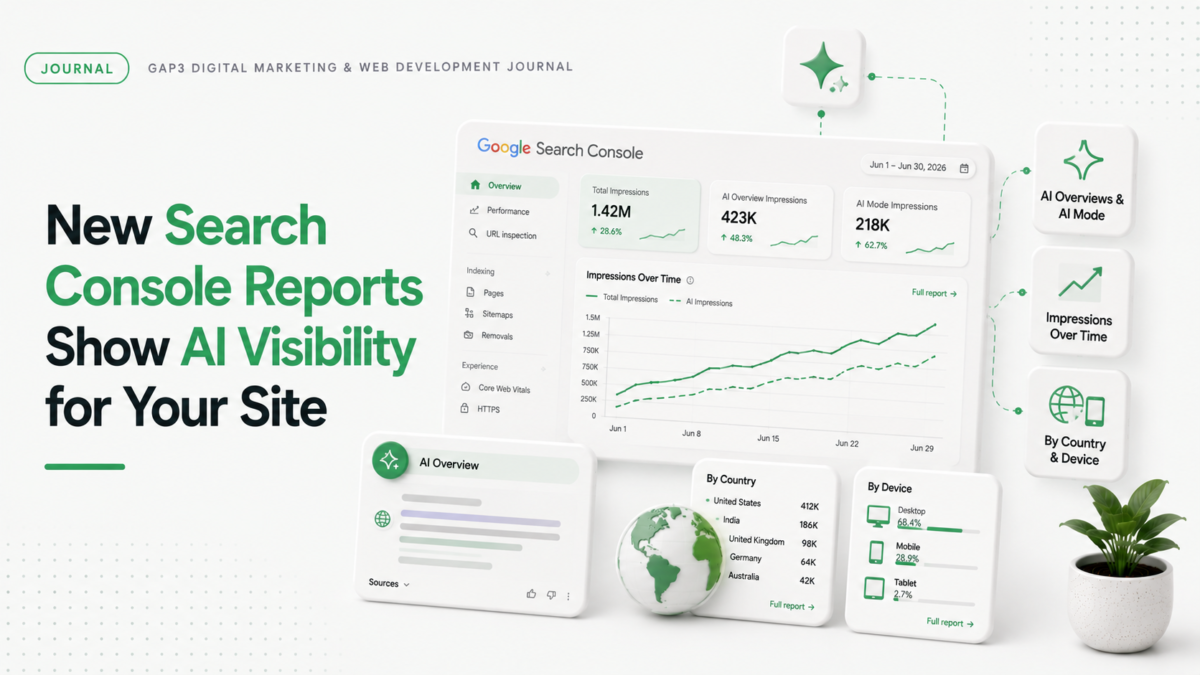
Google just launched new reports in Search Console that show your site’s visibility in AI features. These reports track impressions from AI Overviews and AI Mode. They also show visibility in Google Discover. This data helps you see exactly where your site appears when Google uses generative AI.
For example, you can check how many times your pages show up in AI features across countries. You’ll see which devices people use when they see your site. The reports give hourly, daily, weekly, and monthly data. This is useful for understanding your site’s performance in AI features.
What the reports show
These reports track impressions from AI features in Search and Discover. They tell you how often your URLs appear in AI Overviews and AI Mode. You can see which pages are shown in AI features. The reports also show country-level visibility and device usage patterns.
Why this matters for your site
When Google uses AI features, your site might get more traffic. But you don’t know how much until now. These reports help you see exactly where your site appears in AI features. You can spot trends and adjust your strategy. This data is especially important for ecommerce stores and B2B sites that want to grow traffic through AI channels.
How to use the reports
- Go to Search Console and find the new AI visibility reports section
- Check impressions for your site across countries and devices
- Track how pages appear in AI features over time with hourly, daily, weekly, and monthly views
- Use the data to identify which pages get the most AI visibility
Next steps for your site
These reports are currently available to a small group of websites. Google is testing them before wider rollout. You can submit feedback through Search Console’s feedback form. This helps Google improve the reports for everyone.
How GAP3 can help
We help businesses understand their AI visibility with Search Console reports. Our team tracks how your site performs in AI features. We can show you exactly where your pages appear in AI Overviews and AI Mode. We also optimize your site for better AI visibility. If you want to see how your site stacks up, get a free quote for core web vitals optimization or SEO services.
If you would rather have this handled for you, our Core Web Vitals optimization can take it on. Tell us what you need and get a free quote.
FAQ
How do I see my site’s visibility in Google AI features?
Use the new Search Console reports that track impressions in AI Overviews and AI Mode. Check country-level visibility and device usage patterns.
When will these reports be available to all websites?
Google is rolling out reports to a small group first. They test them before making them widely available.
Which pages show up in AI features?
The reports show which URLs from your site appear in AI features. You can see specific pages getting visibility.
How do I get feedback on these reports?
Submit feedback through Search Console’s dedicated feedback form or Google Search Central Community.
Source: the official Google announcement.