
Google Moves IP Ranges Files to New Location – What You Need to Know
 Gaurav Gajjar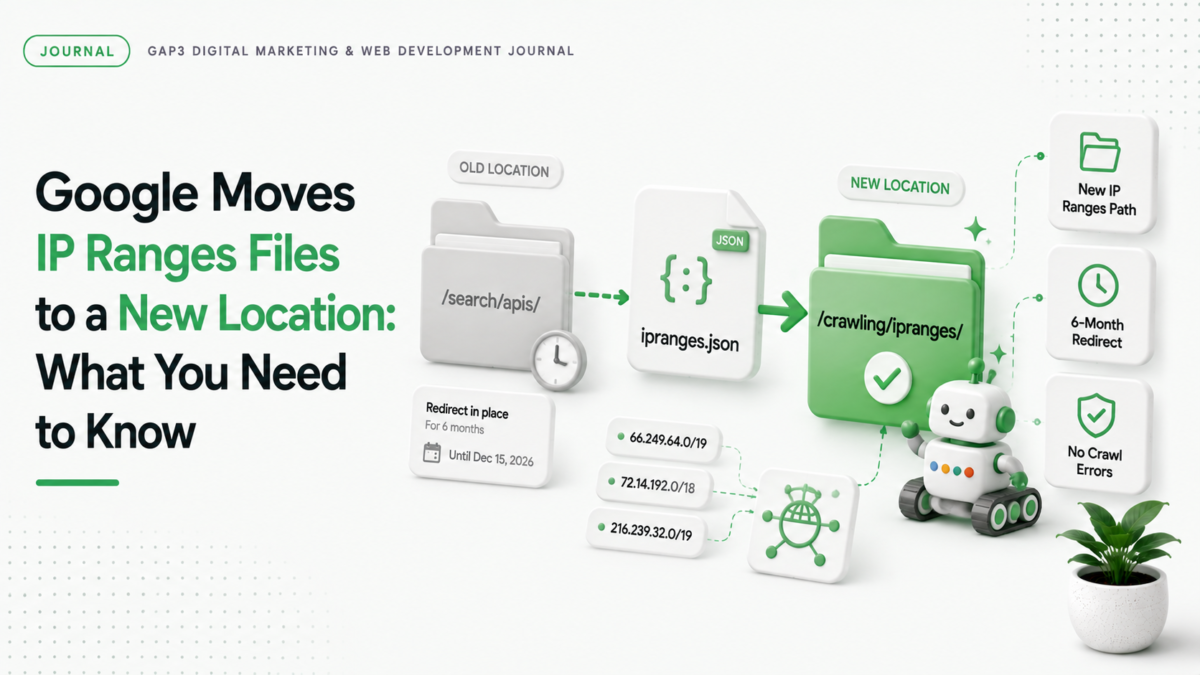
Google updated where it stores IP ranges for search crawlers. This change affects how search engines find your site. You need to update your site quickly to avoid crawl errors.
What changed with Google’s IP ranges
Google moved the JSON files listing its IP ranges from /search/apis/ipranges/ to /crawling/ipranges/. The files are now at developers.google.com/crawling/ipranges/. The old location still works for 6 months. But you should switch to the new path soon.
Why this matters for your website
Search engines use IP ranges to find your site. If your site doesn’t update, Google might not crawl it properly. That means fewer search results and less traffic. Your site could get stuck in a crawl error.
How to update your site now
- Check your current IP ranges file location. If you use the old path /search/apis/ipranges/, switch to /crawling/ipranges/.
- Update your site’s crawler configuration. If you use a tool like sitemap.xml or robots.txt, make sure it points to the new path.
- Test your site with Google Search Console. Look for crawl errors after the update.
- Use a tool like the Google IP Ranges Checker to verify your site is crawling correctly.
How GAP3 can help with this update
We’ve helped many sites update their IP ranges. Our team checks your site’s crawler configuration and fixes crawl errors. We also provide a free quote for a full site audit. Get in touch for help with this update.
Why this update matters for your business
Google’s update ensures search engines find your site faster. Proper IP ranges help your site get crawled and indexed quickly. That means more traffic and better search rankings.
If you would rather have this handled for you, our SEO services can take it on. Tell us what you need and get a free quote.
FAQ
Where did Google move its IP ranges files?
Google moved the files from /search/apis/ipranges/ to /crawling/ipranges/ on developers.google.com.
How long will the old IP ranges location be available?
The old location will stay for 6 months. Google will redirect it to the new path after that time.
What happens if I don’t update my site?
Your site might get crawl errors. Google won’t find your site as well. That means less traffic and lower rankings.
How do I update my IP ranges configuration?
Change your crawler configuration to point to /crawling/ipranges/. Test with Google Search Console to make sure it works.
Source: the official Google announcement.